
IzPDF
We make PDF easy.
Merge, split, compress, convert, OCR, translate and sign — colorful tools that finish the job in your browser. Preview for free, no install.
Most popular PDF tools
Color-coded tools so you can spot the right task instantly.
Keep simple tasks simple
IzPDF is built for the everyday PDF jobs people actually do — edit, combine, shrink, and sign without bouncing between apps.
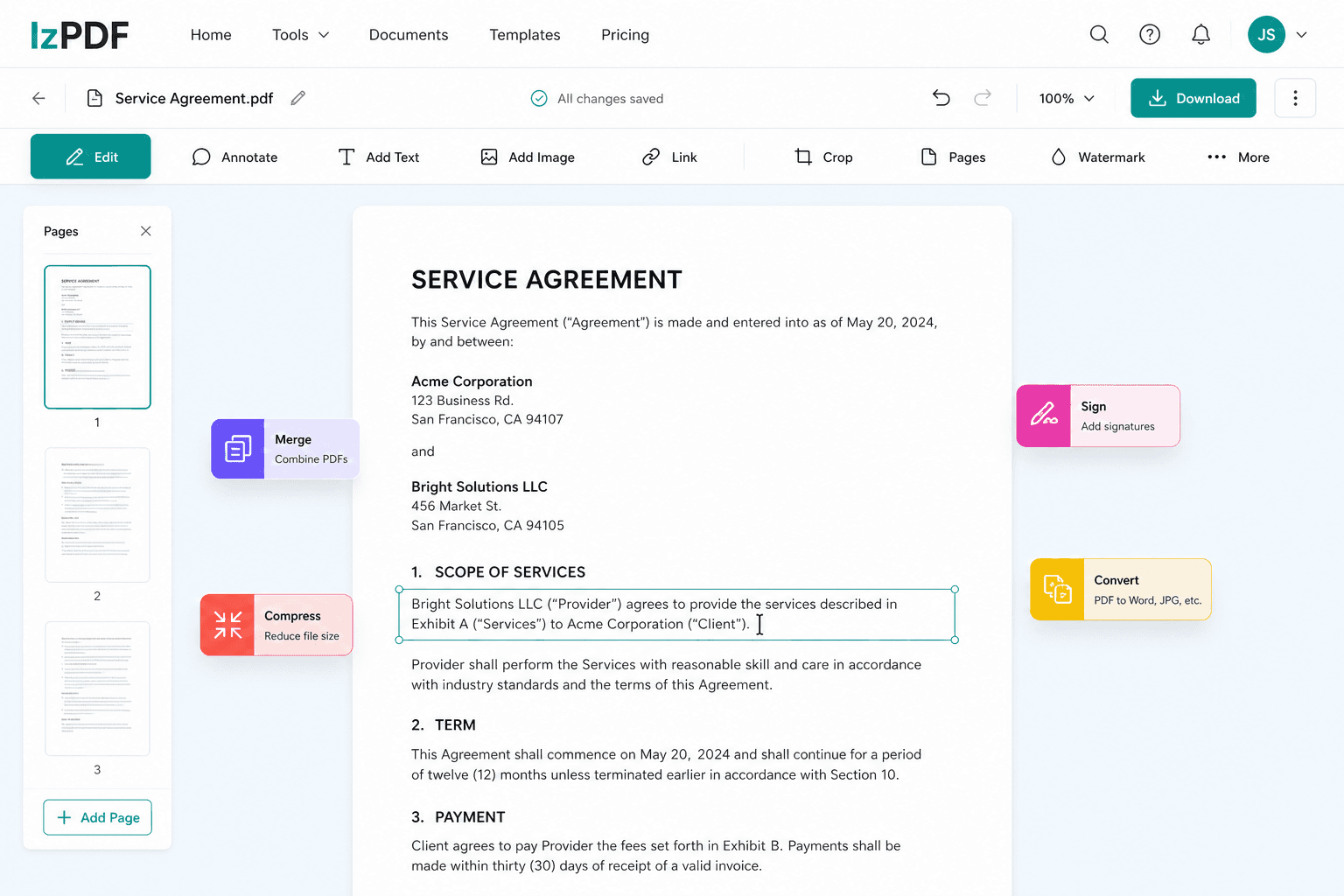
Edit PDFs in the browser
Highlight text, drop in shapes, and annotate pages without leaving the tab. One workspace for every quick fix.
Edit a PDF nowMerge and compress in one place
Combine scattered files into a single PDF, then shrink the size when email limits get in the way.
Try merge & compress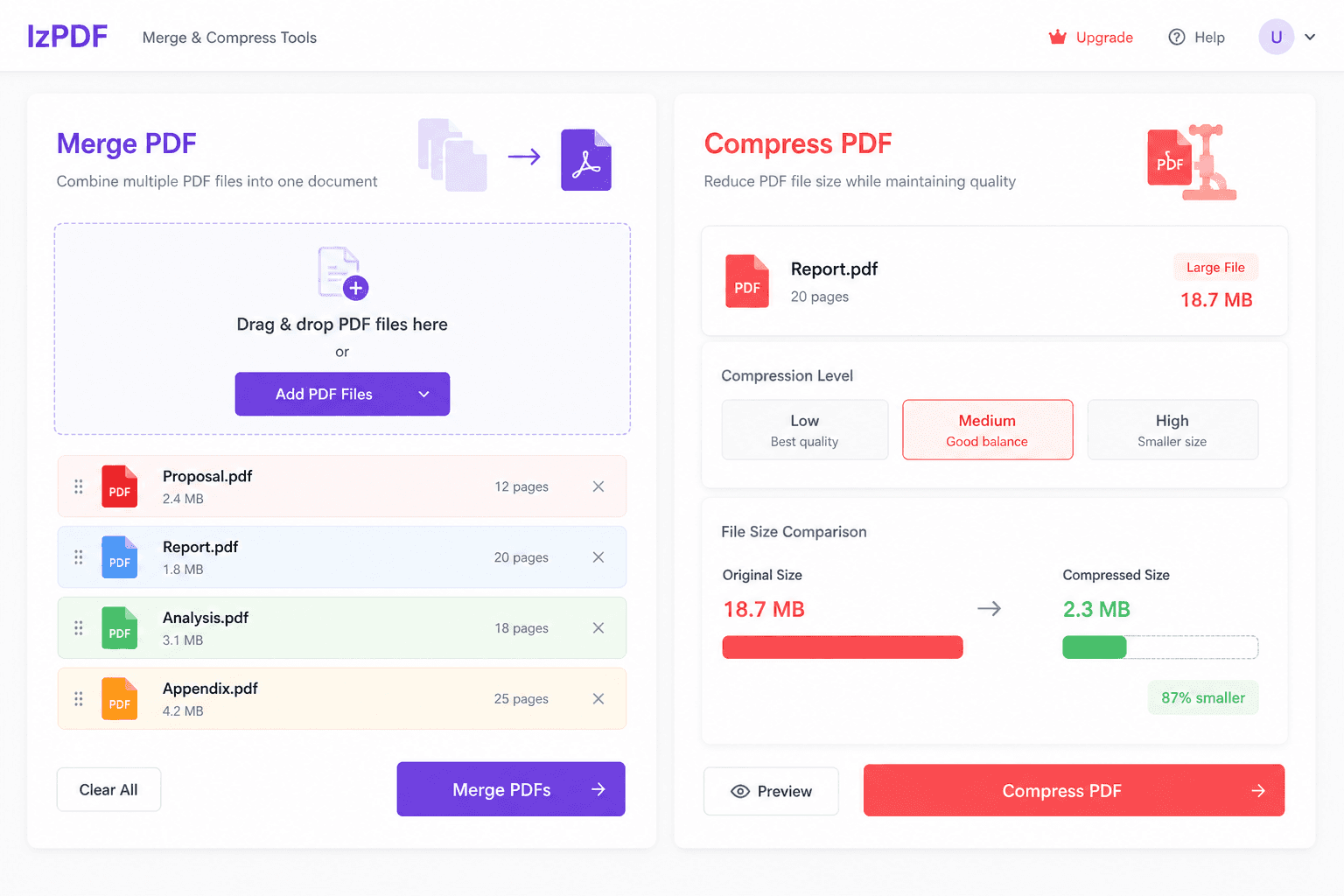
Sign documents in seconds
Draw or type a signature, place it on the page, and download a ready-to-send PDF.
Sign a PDF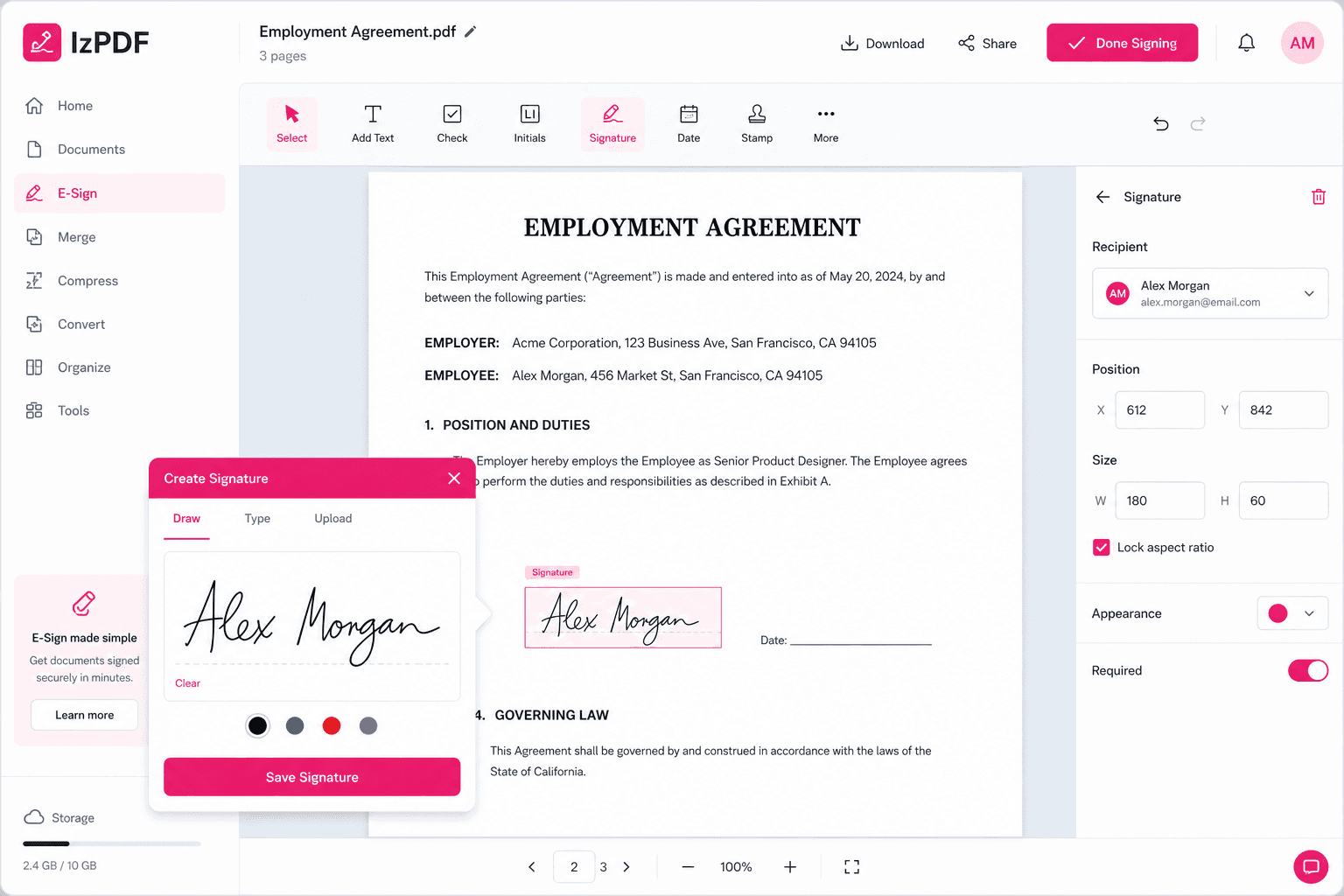
Files removed automatically
Uploads and results are deleted one hour after processing on the free plan, 24 hours on Pro.
Encrypted in transit
Every upload and download runs over TLS 1.3, and processing happens on isolated workers.
Works on any device
No installers or plugins. Everything runs in the browser on Windows, macOS, Linux, iOS and Android.
Get more with Pro
- Unlimited downloads, no watermarks, and files up to 2 GB
- Edit PDFs, run OCR on scans, and sign documents in one place
- Batch processing and priority queue when you need speed
Cancel any time during the trial.
IzPDF at a glance
Frequently asked questions
IzPDF is a free online PDF workspace that runs in your browser. You can merge, split, compress, convert, OCR, translate and sign PDF files without installing software or creating an account. Files travel over encrypted connections, are processed on isolated workers, and are deleted automatically within one hour on the free plan. IzPDF works on desktop and mobile browsers in ten languages.
Drop a file into any tool — merge, compress, OCR, translate or sign — directly from your desktop, phone or tablet. No installers, no plugins, no account required to start.
IzPDF processes the file and shows a preview before you download, so you can verify the result in seconds. Free accounts get a watermarked first download, then a 7-day Pro trial.
Download your finished PDF and move on. Files are deleted automatically one hour after processing on the free plan, 24 hours on Pro, and you can delete them earlier from your account at any time.
How IzPDF works
- Free to use with no account required — the first download is watermarked, then a 7-day Pro trial begins.
- Pro raises file limits to 2 GB and 30 files per merge, with unlimited downloads and no watermarks, at $99.99 per year.
- No ads and no forced signup: files are deleted automatically within 1 hour on the free plan and 24 hours on Pro.
- Built-in OCR and PDF translation keep layout intact, and the interface ships in ten languages including Turkish, German, French and Spanish.
- Is IzPDF free to use?
- Yes. Every IzPDF tool is free to run without an account. The first download is watermarked; after that you can start a 7-day free Pro trial. Pro costs $99.99 per year and removes watermarks, unlocks unlimited downloads and raises file limits to 2 GB.
- Does IzPDF keep my files on its servers?
- Files are uploaded, processed on isolated workers and stored temporarily, then deleted automatically — one hour after processing on the free plan and 24 hours on Pro. You can delete them manually from your account at any time.
- Can I use IzPDF on my phone?
- Yes. IzPDF runs in any modern browser on iOS and Android, so you can merge, compress, OCR and sign PDFs without installing an app.
- How many PDF files can I merge at once?
- The free plan merges up to 10 files per task. Pro raises the limit to 30 files and unlocks unlimited downloads.
- Which file formats can IzPDF convert to PDF?
- IzPDF converts Word (.doc, .docx), Excel (.xls, .xlsx), PowerPoint (.ppt, .pptx), plain text and images (JPG, PNG, TIFF, WebP) into PDF, and turns PDFs into editable Word and image files.
- Is IzPDF safe for confidential documents?
- Files travel over TLS-encrypted connections, are processed on isolated workers and are deleted automatically within one hour on the free plan. Nothing is used for advertising, and you can delete files early at any time.